
Pika & Luma Dream Machine Watermark Removal: Clean AI Renders for Free
Learn how to remove free-tier brand overlays from Pika 2.0 and Luma Dream Machine generations. Explore temporal inpainting to eliminate corner stamps and restore native frame resolution.
Computer Vision & AI Video Team
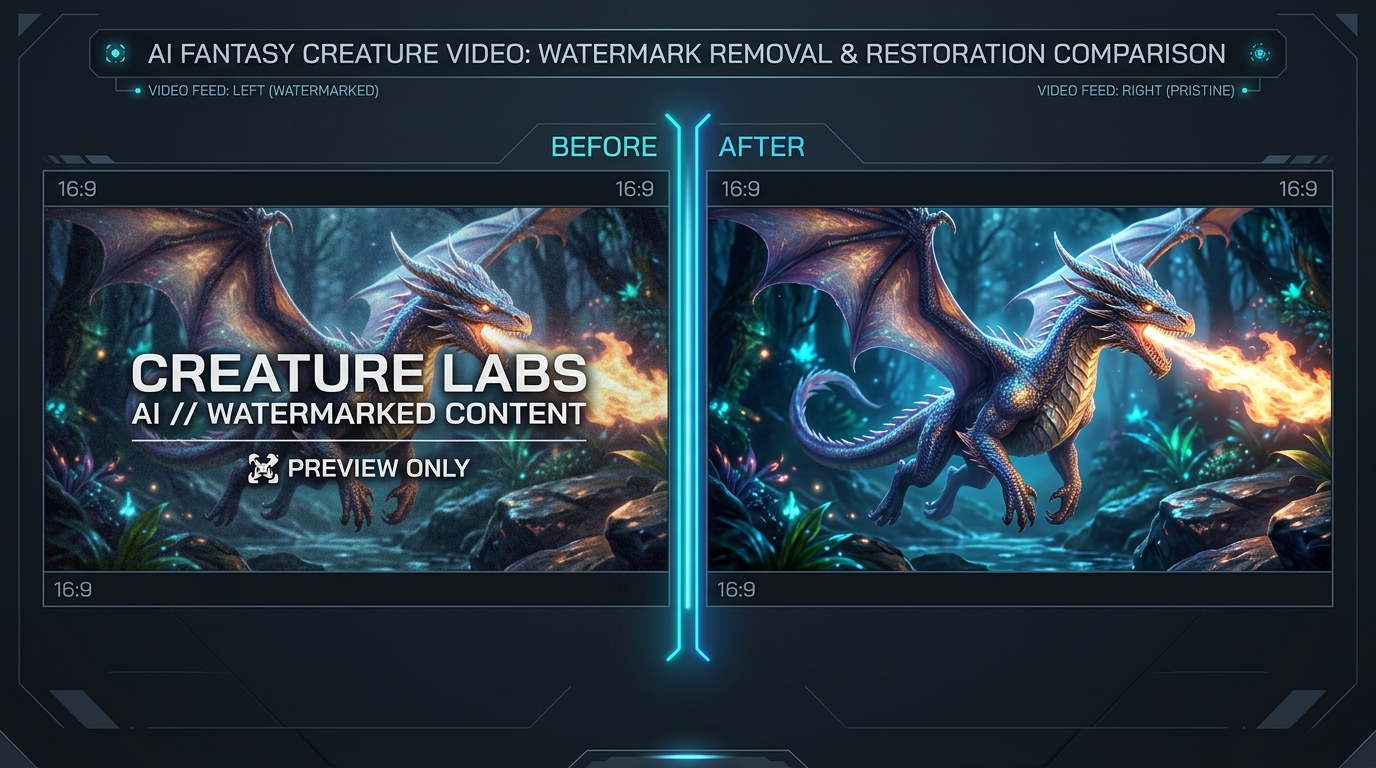
Visual analysis: Zero-blur temporal inpainting isolating and removing Pika & Luma AI watermark badges cleanly.
Have a Pika & Luma AI clip to clean right now?
Our free browser studio erases watermarks with zero blur in under 15 seconds.
Table of Contents
- 1. The Rise of Pika 2.0 and Luma Dream Machine: Free Tiers and Branding Stamps
- 2. Why Cropping and Blurring Ruin High-Fidelity AI Renders
- 3. Step-by-Step: Removing Pika & Luma Watermarks with Ghostmark
- 4. How Temporal Inpainting Handles High-Speed AI Motion
- 5. Frequently Asked Questions (Google FAQ)
The Rise of Pika 2.0 and Luma Dream Machine: Free Tiers and Branding Stamps
Why Cropping and Blurring Ruin High-Fidelity AI Renders
Step-by-Step: Removing Pika & Luma Watermarks with Ghostmark
How Temporal Inpainting Handles High-Speed AI Motion
Frequently Asked Questions About Pika & Luma AI
Verified answers to the most common questions regarding Pika & Luma AI watermark removal, legality, and resolution preservation.
How to remove Pika 2.0 and Luma Dream Machine watermarks without blur?
▼
To remove Pika and Luma Dream Machine watermarks without blur, upload your video to Ghostmark Pika Watermark Remover, select the overlay badge, and click Remove Watermark. Ghostmark reconstructs original pixels using temporal optical flow.
Does Ghostmark reduce the resolution of Luma Dream Machine clips?
▼
No. Ghostmark modifies only the specific pixels covered by the watermark badge. The remaining 98%+ of your video frame retains full 1080p resolution and original bitrate.
Can I remove both Pika 1.0 and Pika 2.0 watermarks?
▼
Yes. Ghostmark automatically recognizes watermark typography and logo badges from Pika 1.0, Pika 2.0, and Luma Dream Machine 1.5.
Will my video audio remain synchronized after watermark removal?
▼
Yes. Ghostmark uses lossless audio stream copying (FFmpeg direct copy) so sound effects and music tracks remain synchronized down to the exact millisecond.
Is it completely free to test Ghostmark on Pika and Luma videos?
▼
Yes. Ghostmark provides free credits on every visit with no account registration or software download required.
Clean Pika & Luma Videos Online
Free browser-based AI video studio with zero file retention, microsecond audio preservation, and instant preview.
Related Guides & Inpainting Tutorials
 AI Model Watermarks
How to Remove Google Veo Watermarks Without Blur: Complete 2026 Guide
A deep-dive tutorial explaining why Google Veo videos come with watermark badges, why Gaussian blur destroys cinematic scenes, and how temporal optical flow inpainting seamlessly restores obscured pixels in seconds.
 AI Model Watermarks
How to Clean OpenAI Sora Watermarks: Erase Floating Logos Cleanly
Master OpenAI Sora watermark removal. Learn why Sora's semi-transparent floating logos require temporal optical flow rather than static blur filters to restore cinematic motion vectors.
 AI Model Watermarks
Wan 2.1 AI Video Watermark Remover: Clean High-Resolution Generations
Everything you need to know about removing watermarks from Alibaba Wan 2.1 open-source and cloud generations. Discover how temporal optical flow restores neon lighting and fast motion.