
How to Remove Burned-In Subtitles & Hardcoded Captions from Video
Hardcoded subtitles permanently ruin footage if you need clean re-captioning or foreign localization. Learn how AI temporal inpainting replaces text with authentic background detail.
Archive Restoration & Localization Engineers
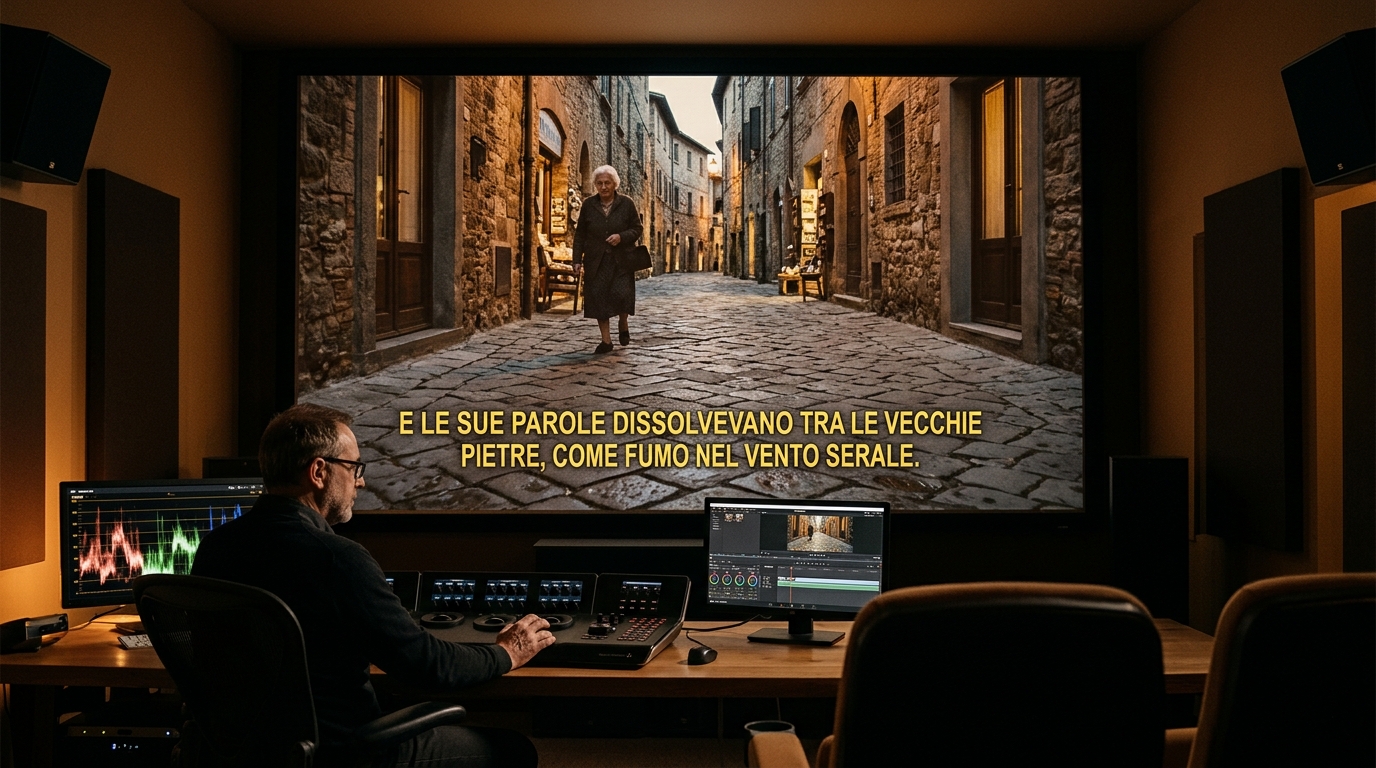
Visual analysis: Zero-blur temporal inpainting isolating and removing Subtitle Removal watermark badges cleanly.
Have a Subtitle Removal clip to clean right now?
Our free browser studio erases watermarks with zero blur in under 15 seconds.
Table of Contents
Hardcoded (Burned-In) vs. Soft Subtitles: The Crucial Difference
Why Black Censor Bars and Lower-Third Blurs Ruin Footage
Handling Animated Words and Bouncing TikTok Captions
Step-by-Step: Removing Hardcoded Subtitles with Ghostmark
Frequently Asked Questions About Subtitle Removal
Verified answers to the most common questions regarding Subtitle Removal watermark removal, legality, and resolution preservation.
How to remove hardcoded subtitles from a video without blur?
▼
To remove hardcoded subtitles from a video without blur, upload your MP4 to Ghostmark Subtitle Remover, highlight the subtitle bounding zone, and click Remove Watermark. Ghostmark borrows clean background pixels across time to erase the text with zero blur.
Can Ghostmark remove foreign language subtitles in Chinese, Japanese, or Arabic?
▼
Yes. Ghostmark removes high-contrast subtitles, character strokes, and outline borders in any language, including Chinese Hanzi, Japanese Kanji, Korean Hangul, Arabic, and Cyrillic.
What if subtitles are placed over moving hands, actors, or complex clothing folds?
▼
Ghostmark's optical flow tracking tracks the motion of hands, fabric folds, and props, reconstructing natural texture continuity without smearing.
Will the original spoken audio track remain intact after subtitle removal?
▼
Yes. Ghostmark uses lossless stream copy (FFmpeg passthrough) to keep the original audio track bit-for-bit identical with zero quality loss.
Can I re-caption the cleaned video with modern closed captions (SRT/VTT)?
▼
Yes. Once your video is clean and text-free, you can import it into any video player or platform and attach modern, accessible soft SRT or VTT subtitle files.
Erase Video Subtitles Free
Free browser-based AI video studio with zero file retention, microsecond audio preservation, and instant preview.
Related Guides & Inpainting Tutorials
 AI Model Watermarks
How to Remove Google Veo Watermarks Without Blur: Complete 2026 Guide
A deep-dive tutorial explaining why Google Veo videos come with watermark badges, why Gaussian blur destroys cinematic scenes, and how temporal optical flow inpainting seamlessly restores obscured pixels in seconds.
 AI Model Watermarks
How to Clean OpenAI Sora Watermarks: Erase Floating Logos Cleanly
Master OpenAI Sora watermark removal. Learn why Sora's semi-transparent floating logos require temporal optical flow rather than static blur filters to restore cinematic motion vectors.
 AI Model Watermarks
Wan 2.1 AI Video Watermark Remover: Clean High-Resolution Generations
Everything you need to know about removing watermarks from Alibaba Wan 2.1 open-source and cloud generations. Discover how temporal optical flow restores neon lighting and fast motion.